

There is no official Ravelry app. Below, you will find a directory of apps that work with Ravelry
Apps That Connect to Ravelry
These apps were created by Ravelers and other developers.
Sort by: Active users | Rating | Recent | Name
kntd:discover

kntd:discover
-
 4.79 stars (5222 reviews)
 -
 4.82 stars (977 reviews)
kntd:discover lets you browse and search the amazing Ravelry pattern and yarn databases to find the perfect pattern or yarn for your next project.
See all pattern/yarn details including comments directly in the app.
Easily add yarns or patterns to your favourites to quickly find them later.
kntd:discover can be downloaded and used for free with ads, or you may subscribe for an ad-free experience.
 harrisonsj


Ravit 2
Ravit 2
-
4.83 stars (6020 reviews)
-
4.64 stars (714 reviews)
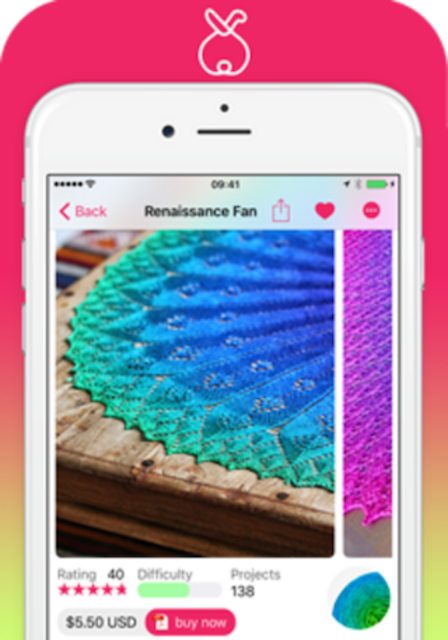
Ravit is a fun app for browsing patterns and yarns, and updating your projects and stash from anywhere. It’s super quick, and it’s friendly.
Ravit is available for iOS and now Android!
With Ravit you can:
- Find inspirational patterns
- Purchase, download and view pattern PDFs
- Take Ravelry to your yarn store
- Snap, edit and upload photos on the spot
- Access your projects and stash offline
- View, reply and post new topics in forums
- View, reorder and cast on from your queue
- Use less data
- Squint less :-)
Our vision for Ravit is to really make Ravelry shine on mobile - to show patterns, projects, yarns in a clean and responsive interface and to harness the true power of Ravelry by including things like filters.
Although Ravit already has many features, we plan to add more. We have an active group on Ravelry and we’d love to hear what you’d like to see next - join in the discussion in the Ravit Group.


knitCompanion

knitCompanion
-
4.83 stars (6892 reviews)
-
3.51 stars (955 reviews)
It’s a Game Changer --VeryPink
kC makes everything about following a pattern so much simpler - it’s addictive. --Romi Hill
With knitCompanion you can focus on your knitting instead of juggling row trackers, counters, and “at the same time“ instructions.
knitCompanion is a pattern tracking app for knitters and fibers artists. Our patented tools make tracking easy so you can enjoy the fabric you are creating, make fewer mistakes, and tackle new techniques. Join the knitCompanion group on Ravelry for ongoing fun KALs and community.
** Works with ANY PATTERN **



Stash2Go II (Android)
Stash2Go II (Android)
-
4.5 stars (116 reviews)
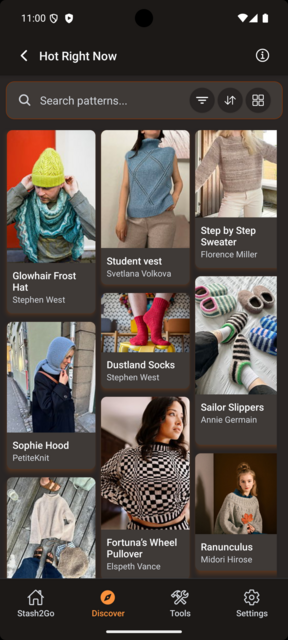
Rebuilt from the ground up in November 2025, Stash2Go II is the ultimate Ravelry companion for iPhone, iPad, and Apple Watch — fast, beautiful, and a joy to use.
Track rows from your wrist, mark up PDF patterns with ease, and enjoy the best pattern browsing experience available — fully customizable and colored exactly the way you like it.
Stash2Go II is the next generation of Stash2Go.
Support forum:
https://www.ravelry.com/groups/stash2go
 nordfriese


Row Counter

Row Counter
-
4.83 stars (3847 reviews)
-
4.83 stars (15686 reviews)
﹥ Rated 4.8/5 on iOS. Download Here
﹥ Rated 4.8/5 on Android. Download Here
What our fantastic users say:
This is by far the best
“I really enjoy using this app, especially the highlighter so I don’t get lost, and the ability to add notes at certain rows when I’m adjusting sizes etc. It also allows you to design your own patterns. Importing from Ravelry, web pages and my own files is amazing. I’ve used other apps but this is by far the best.”
Colleen.
Incredible!
“Incredible! The most useful app on my phone right now, extremely intuitive interface and each day I use it I find cool new features that make it even better. The latest thing I discovered in it was the increase/decrease function. You enter the starting number of stitches and then the final number you want to get to after your increases/decreases and it will calculate how many times you should do it to make it look neat. Absolute gamechanger!”
Jordyn.
A Row Counter App optimized for knitting and crocheting:
IMPORT YOUR PATTERN
- Download your patterns directly into the app, be it a webpage or a pdf.
- Direct access to Ravelry, so you can search their website or access your library.
CUSTOMIZE YOUR ROW COUNTER
- Set up several counters to keep track of your increases, design, or change of color
- Add reminders to appear on a specific row: you will knit mistake-free!
- You just need a basic counter? No worries, you can also use it without any configuration
FOLLOW EASILY YOUR PATTERN ️
- Horizontal band highlight to help you keep your line
- Vertical band highlight for Charts
- Multi-lines highlighters for you to mark important instruction
- Add annotations to your PDF pattern.
TOOLS
- Increase/decrease calculator
- Swatch adapter
- Unit & Wool converter
- And more!
STASH
You can import your stash from Ravelry and assign it to your project.
VOICE CONTROL
No need to touch the app while knitting, just speak to it to increment the counter, and keep your hands free to do beautiful things!
FOLLOW UP ON YOUR PROGRESS
See any times how many rows and stitches you have knit!
DARK MODE
The app will be in dark mode when your device is in dark mode. You can also choose to always use the dark mode or to disable it.
﹥ on iOS Here
﹥ on Android Here


Alpaca

Alpaca
-
4.11 stars (122 reviews)
Take the best of Ravelry on the go with Alpaca. Available only on the App Store.
• Keep up with your friends an discover popular patterns with the activity feed
• Create and update your projects with notes and photos
• Manage your stash and assign yarn to projects
• Search for patterns, projects, yarn, and shops
• Find your closest yarn shops on the shop map
Want to request a feature? Send a Ravelry message to alpacatheapp.


Stash2Go II (Apple)
Stash2Go II (Apple)
-
3.45 stars (33 reviews)
-
4.5 stars (116 reviews)
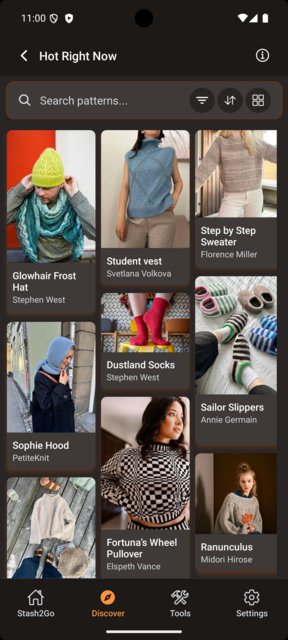
Stash2Go II is the complete Ravelry companion for iPhone, iPad, and Apple Watch — rebuilt from the ground up to deliver a fast, modern, and delightful experience for knitters and crocheters.
Stash2Go II is the next generation of Stash2Go.
Support forum:
https://www.ravelry.com/groups/stash2go
nordfriese

Chart Minder

Chart Minder
Chart Minder lets you design, scan or customise your own knitting charts, for free.
- Draw your own motifs by hand
- Scan images to turn them into charts
- Track your progress through a chart
- Knitting mode guide helps you see your current row
- Set your gauge or yarn weight to see measurements and skew
- Change colours on your chart without having to redraw anything
- See your chart in a grid or drawn as stitch Vs
- Download your charts to use anywhere
 Tricotry


Stashora
Stashora
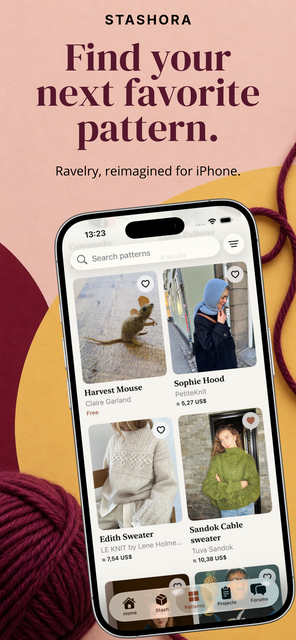
Ravelry, beautifully reimagined for iPhone.
Discover a more beautiful way to knit and crochet. Stashora combines a carefully crafted interface with the speed and fluidity of a fully native iPhone app. Clean layouts, rich photography and intuitive navigation make it a pleasure to use, every day.
Find a pattern you can’t wait to start. Rediscover the yarn you already own. Bring your favorites, library, stash and projects together in one beautifully organized space, with automatic Ravelry sync to keep your stash and projects up to date.
Keep your pattern PDFs close, even offline. Add annotations and pick up where you left off, whether you’re crafting at home or on the go.
From your first spark of inspiration to your last stitch, make every project a little more enjoyable.

Unraveled
Unraveled
Ravelry, at your fingertips.
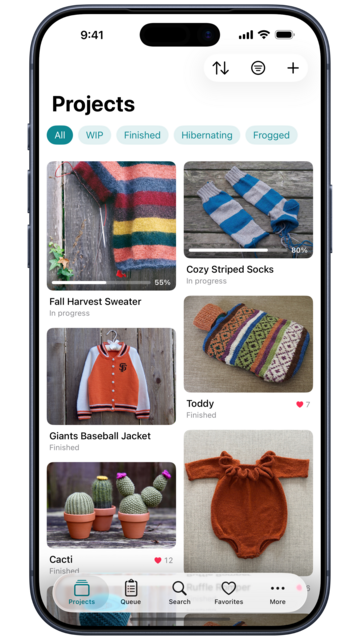
Unraveled is the iOS-native app for Ravelry. It’s the fastest way to manage your projects, browse patterns, organize your stash, get inspiration, and keep up with your queue. Beautifully designed for iPhone and iPad. Built to get out of your way so you can spend more time doing what you love most.
WHAT YOU GET
• Projects — view, edit, add photos, and note every project. Track status, progress, gauge, needles, hooks, and yarn.
• Queue — what’s next, prioritized your way. Quick-add from any pattern.
• Stash & Library — your yarn, patterns, and purchase history, fully searchable.
• Favorites & Bundles — collect patterns by project, season, or theme.
• Search — the full Ravelry filter set: craft, weight, fiber type, sort, and dozens more, in a native iOS interface.
• Messages & Friends — your Ravelry DMs and friend activity, on the go.
• Widgets — projects, queue, stash, and Hot Right Now widgets in every size, right in your home screen. Tap to jump straight into the right place.
• iPad Sidebar — adaptive split view for browsing patterns and projects side by side.
• Quick Actions — press and hold any project, pattern, or stash item for a shortcut menu of common things you’d do next.
• Built for iOS 26 — Dynamic Type, Dark Mode, VoiceOver, Reduced Motion, and Spotlight deep links throughout.
NO SUBSCRIPTION. NO ADS. NO TRACKING.
Unraveled is free for 14 days with full access to every feature. After the trial, a one-time $7.99 unlock gives you lifetime access. No recurring fees. No advertising. No third-party tracking. Just a beautifully made tool that gets out of your way so you can get back to crafting.
 SofiaMadeIt


Loopsy
Loopsy
-
4.75 stars (16746 reviews)
Loopsy – your modern maker’s sidekick
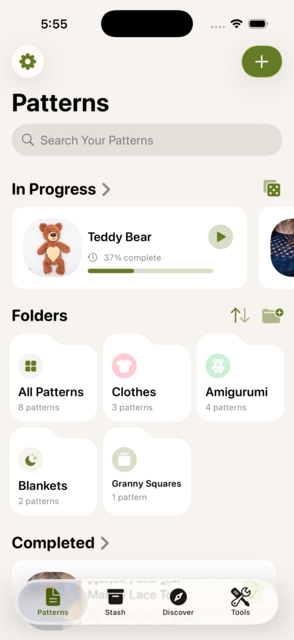
Turn piles of patterns, tangled links, and half-finished projects into a single, stress-free creative flow. StitchCraft stores every crochet or knitting idea you collect, cleans it up, and guides you stitch-by-stitch until the final weave-in.
Why makers love it
• All your patterns, zero chaos – Snap a photo, import a PDF or website, even grab a TikTok or YouTube tutorial. StitchCraft saves the file, thumbnails it, and lets you tag, search, and sort in seconds.
• Smart Patterns – One-tap “generate” converts busy instructions into clean, numbered steps, grouped by part and size (with automatic progress tracking).
• Interactive Work Mode – Hit the big ▶️, choose a project, and focus on the next row. Built-in timers, row counters, and live activities keep you in flow.
• Stash super-powers – Log unlimited yarn, hooks, and needles; track color, weight, yardage, and dye-lot so you know exactly what’s on hand before you buy.
• Discover & filter – Browse community-curated ideas, filter by craft, skill level, or theme, then save to your library with one tap.
• Cloud-friendly – Syncs via iCloud and hooks into Google Drive or Dropbox for easy backups.
• Ad-free browser – Preview web patterns inside the app without pop-ups or distractions.
• Made for makers on the move – Widgets, Live Activities, and dark-mode-friendly design keep your projects at a glance on iPhone and iPad.
Whether you’re untangling your first skein or finishing your hundredth blanket, Loopsy keeps every loop, purl, and pattern perfectly organized, so you can spend less time hunting instructions and more time making something beautiful. ✨
 Knitpun


Ravit

Ravit
-
4.83 stars (6018 reviews)
-
4.64 stars (714 reviews)
Ravit is a fun new app for browsing patterns and yarns, and updating your projects and stash from anywhere. It’s super quick, and it’s friendly.
Ravit is available for iOS and now Android!
With Ravit you can:
- Find inspirational patterns
- Purchase, download and view pattern PDFs
- Take Ravelry to your yarn store
- Snap, edit and upload photos on the spot
- Access your projects and stash offline
- View, reply and post new topics in forums
- View, reorder and cast on from your queue
- Use less data
- Squint less :-)
Our vision for Ravit is to really make Ravelry shine on mobile - to show patterns, projects, yarns in a clean and responsive interface and to harness the true power of Ravelry by including things like filters.
Although Ravit already has many features, we plan to add more. We have an active group on Ravelry and we’d love to hear what you’d like to see next - join in the discussion in the Ravit Group.

Ravelgurumi
Ravelgurumi
-
4.65 stars (161 reviews)
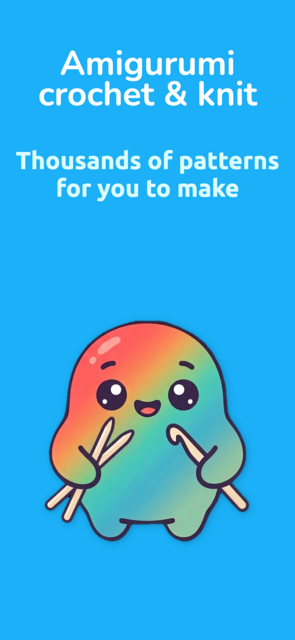
Ravelgurumi makes it easy to find and use thousands of amigurumi knit and crochet patterns, leaving you more time to make adorable plush toys.
Start with one of the patterns included in the app or search to find the perfect pattern for you.
Download patterns so that you can work on them offline - no network required. Find your downloaded patterns easily in “My patterns” so that you can quickly get back to the fun
Track your progress using the built in row counter and notes available for each pattern. Pick the size of the row counter you prefer, and drag it wherever you want on screen so you can always see your pattern and keep count. Keep notes for each pattern, so that you never forget a hook, yarn or adaptation again.
Get the right patterns for you using the app filters to pick your craft and skill level.
Style the app your way by choosing a color scheme.
Be inspired by the daily featured patterns.
Get quick access to your patterns and featured directly by using your device search bar or shortcuts.
Ravelgurumi is the ultimate amigurumi patterns app to use on-the-go or at home.
Ravelgurumi uses popular patterns from Ravelry. You will need to log in using your Ravelry account to get the patterns or sign up if you don’t have an account already. It’s free to set up a Ravelry account and really quick and simple to do either in the app or the website.
 bardils


Pocket Knitting

Pocket Knitting
-
4.89 stars (117 reviews)
-
4.86 stars (586 reviews)
Pocket Knitting is an knitting app to keep track of all your projects wherever you go. Add projects and all the important details. Sleek and modern look and feel. We will keep improving the app, so if you have ideas or improvements, drop us a line!
 Arcturus5404


Wooly

Wooly
-
3.92 stars (26 reviews)
Wooly is the first Apple iOS app to provide on-the-go access to your Ravelry Notebook. Built by a couple of real knitters with Love for all you fiber fans out there.
iTunes Top 10 paid iPhone app in the Lifestyle category (June 2012)
Features include:
- View and edit your Project details and add Project photos
- Access your Queue and each queued project’s details
- Access your Stash and each stashed yarn’s details
- View a list of your Friends, their Projects and their project details
- Add Photos to your Projects and Stash
- Edit and update information about Projects in your My Projects list
The knitters behind Wooly (brothers MenKnitToo & dstys) want you to know that we’re here for the long haul…like that never ending scarf you’re knitting. Contact us through the in-app feedback system and get a nearly instant response about your ideas and feature requests.
Please join our Ravelry Group with over 1,700 members and say hello!
 dstys
dstys


Pocket Crochet

Pocket Crochet
-
4.85 stars (612 reviews)
-
4.65 stars (2062 reviews)
Pocket Crochet is an crochet app to keep track of all your projects wherever you go. Add projects and all the important details. Sleek and modern look and feel. We will keep improving the app, so if you have ideas or improvements, drop us a line!
Arcturus5404

Close Knit

Close Knit
-
4.14 stars (276 reviews)
Close Knit is a new iPhone app for showing your Ravelry friends’ activity and favorites.
You can check out what your friends are favoriting, queuing, keep up with their latest project photos and see what yarns they’re collecting to their stash.
 nixterrimus


YarnBuddy

YarnBuddy
-
4.46 stars (792 reviews)
YarnBuddy is a beautiful, easy-to-use project tracker and row counter for knitters and crocheters. It saves your place in each project so that when you come back to finish that blanket you started three years ago, you can pick up exactly where you left off. It also helps you keep track of your yarn stash.
- Enter project details such as start date, yarn, hook/needle sizes, and more.
- Add photos to projects and yarn.
- Import patterns from Ravelry, iCloud Drive, your photo library, or the web.
- Vertical and horizontal highlighter bars help keep your place in the pattern.
- Unlimited, customizable row counters viewable alongside your pattern.
- Home screen widget showing project progress.
- Linked and repeating row counters.
- Optional sounds and haptics for row counters.
- Unit conversion and yarn substitution tools, as well as a common abbreviations dictionary.
- Quick counter that’s not attached to any project.
- Add yarn details such as purchase location, fiber type, weight, etc.
- Dark Mode support.
- Apple Watch companion app.
- Add up to 10 projects in free version.
Available with YarnBuddy Pro (subscription or one-time purchase):
- Unlimited projects.
- Organize your projects with tags.
- Add row notes that appear when you reach a particular row (can also be set to repeat at an interval).
- Add a due date reminder for your project.
- Add notes and rich links to your projects and yarn.
- Change the app’s icon.
…and much more to come!
Learn more at yarnbuddy.app or download for free from the App Store.
 bhansmeyer


Yarn Squirrel

Yarn Squirrel
Yarn Squirrel brings your full Ravelry library to your iPhone & iPad — and lets you keep your PDF patterns right alongside it.
Sync your library, favorites, queue, and projects, then manage them on the go. Add patterns to your library or favorites, create new projects, and keep your Ravelry notebook up to date — all from the app.
Import pattern PDFs from anywhere. Yarn Squirrel uses OCR to extract pattern details automatically, and smart matching searches Ravelry to link your PDF to full metadata — ratings, yarn info, project photos — with one tap. You can even add the matched pattern to your Ravelry library at the same time.
Add to your yarn stash, update, browse and search it with filters for weight, fiber, and yardage. Want to see how some colors might work together? Easily add color palettes from the yarn in your stash or on ravelry to see the colors come together.
Track your projects with status badges and update your progress easily. You can even view the pattern in the app and use a built in row counter to keep track of your place in the pattern.
Search the full Ravelry pattern and yarn databases with all the filters you’d expect.
Keep track of your supplied and tools - with a beautiful overview of your safety eyes, buttons etc - and add them to projects, too!
Handy tools included: a yarn weight converter (US, UK, AU/NZ, German, Japanese) and a skein calculator. Tap any measurement to convert between yards and meters.
Works offline. Works without a Ravelry account too — import PDFs, use the tools, and sync across devices with iCloud.
Free to get started. Premium unlocks unlimited patterns, imports, and Ravelry write-back.
 Pfenya

Knitting Chart

Knitting Chart
-
4.35 stars (1298 reviews)
With Knitting Chart you can draw your own knitting and crochet patterns. Import PDF files from your device or Ravelry and keep track of your progress with the Working Mode, row counters or PDF highlights.
Pay only once to unlock the Pro version, no subscriptions!
You can draw square patterns, fair isle color or symbol designs and freeform crochet charts, which lets you place symbols anywhere you want.
Convert your square charts to written instructions and place images on a chart to convert your canvas to a color chart.
You can adjust your chart layout for knitting flat, in the round, corner to corner, machine knitting and even left handed.
Save your files in iCloud, Dropbox or Google Drive for automatic syncing between devices.
Enable the Working Mode if you’re ready to start knitting, this will lock your design and keeps it easy to keep track of the current row and stitch.
What does the Pro Version unlock?
• Create as many files as you like
• Unlock all tools
• Convert images to color charts
• Written instructions for designed charts
• Create your own colors
• Unlock all knit symbols
• Create patterns up to 500x500
• Generate a PDF for your charts
• Reuse designs by using the Designs Library
• Export high resolution images
• Draw text notes on top of PDF files
• Adjust the gauge
• Automatically generate a chart for non-mirrored double knitting
• Use Siri with the Working Mode and row counters
Please upgrade to the Pro Version (pay once, no subscriptions) if you want to unlock all features and create as many charts as you like!
Check out the YouTube Channel for video tutorials.
Visit knitting-chart.com for known issues, faq and more.
Please send an email to help@knitting-chart.com if you encounter any problems, have a question or request!
 nyhtyp


Yarnly

Yarnly
-
4.6 stars (68 reviews)
-
4.24 stars (78 reviews)
ALL YOUR TOOLS IN ONE PLACE
■ Timer: Keep track of total project time
■ Row Counters: Support for repeats & multiple counters
■ Pattern Viewer with Rulers: View patterns alongside timers, row counters & notes
■ Yarn, Tools, & Materials Management
■ Notes
FIND THE RIGHT PRICE
■ Cost Calculator: Know your yarn & materials costs
■ Market Price Suggestion: Get pricing recommendations based on labor, materials, and markup.
SUPER-CHARGED PATTERN VIEWER
■ Versatile: Works with PDFs, webpages, images, & Ravelry downloads
■ Reading Rulers: Keep your place with ease
■ Sync across Devices: Remembers your spot across devices with Ravelry & Yarnly+
WORKS WITH RAVELRY
■ Project Sync: Import & update your Ravelry projects
■ Cross-Device Sync: Sync your projects across devices with Yarnly+
Yarnly is free-to-try with both one-time and subscription purchase options.
 j0000el


YarnWiz
YarnWiz
-
5 stars (5 reviews)
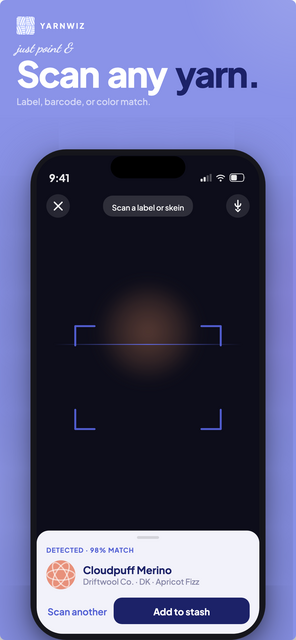
YarnWiz is the knitting companion your stash has been waiting for - made by a knitter!
Snap a photo of any yarn label and YarnWiz instantly logs the brand, weight, yardage, and colorway. No manual entry, no guesswork. Build your complete stash library and finally know what you actually have (yes, even that mystery skein from the festival three years ago).
Then let the magic happen. YarnWiz matches your stash to real patterns based on what you own right now. Browse your matches, filter by category, and go straight from “I have yarn” to “I know what to cast on next!”
Features:
Instant label scanning: snap, scan, done
Full stash management with yardage tracking
Pattern matching based on your actual stash
Full integration with Ravelry
Save patterns from Ravelry to your library or wishlist
Project tracking from cast-on to bind-off
Whether you’re a one-project-at-a-time knitter or someone whose stash has its own zip code, YarnWiz helps you spend less time wondering and more time knitting.
Your yarn is waiting. What will you make?
 gabygryko


Pattrick

Pattrick
Looking for your next knitting or crochet project? Just ask Pattrick! It’s the best way to search Ravelry for patterns on your mobile device.
Pattrick combines a flexible and powerful free-text super search that gets you right to what you’re looking for, with a mobile-optimised power search that gives you access to all the filters you need to get really specific.
Whether you’re looking to make a treat for yourself, a great gift for your niece, or trying to justify buying that gorgeous skein of yarn… Pattrick will find the perfect pattern!
Ask Pattrick by typing freely, like:
- “Drawstring bag using chunky yarn”
- “Ankle socks for 7 year old girl”
- “400m of double knit cotton”
You can even use iOS dictation to speak naturally and ask:
- “I want to make an aran v-neck sweater for my son”
- “Show me some owl teapot cozies”
- “What can I make with 200m of chunky yarn?”
Refine any search using the full power of Ravelry’s filters, with an easy-to-use interface designed exclusively for iOS.
Watch a preview video: Pattrick Preview Video
Download for iPhone/iPad: App Store
Download for Android: Google Play


Pattly
Pattly
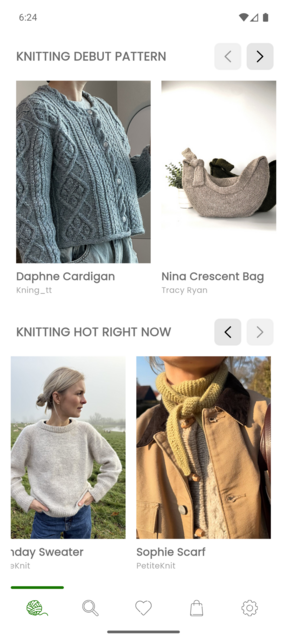
Easily browse, search, and manage your Ravelry patterns, manage projects, queues and favorites — anywhere you go.
Key Features:
Ravelry pattern search: find knitting and crochet patterns by category, fit, language and more
Favorites, Projects & Queue: save your favorite knitting and crochet patterns or add them to your projects or queue.
Category filters: sort patterns by craft type, clothing type, season, and style.
Account sync : all changes update instantly across Ravelry web and mobile (for projects, queues and favorites in Ravelry).
Perfect for:
Knitters looking for sweater, hat, or sock patterns.
Crocheters searching for amigurumi, blankets, or seasonal designs.
And for everything else what the heart desires.
Why choose this app?
Whether you knit, crochet, or do both, this app makes it easy to find inspiration, manage your projects, and keep your Ravelry favorites just a tap away. No more hunting through browser tabs — everything is organized and ready for your next crafting session.
Pattly is currently in closed testing on the Play Store. If you’d like to join, send me a message with the email address linked to your Play Store account.
Yarn Stasher
Yarn Stasher
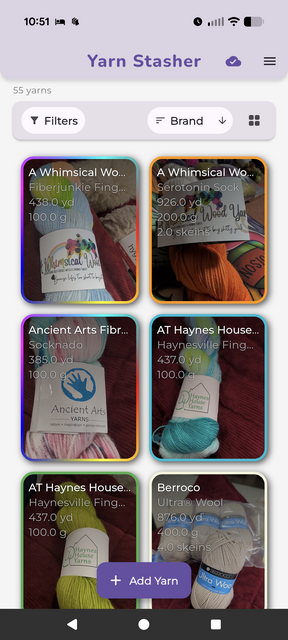
Yarn Stasher - Your Smart Yarn Inventory Manager
Yarn Stasher is a mobile app that helps you organize and manage your yarn stash with AI-powered Smart Scan and seamless Ravelry integration.
Smart Scan
Take photos of your yarn labels and Smart Scan extracts details automatically—brand, colorway, weight, fiber content, yardage, and more. No manual typing.
Ravelry Integration
Sync your stash bidirectionally with Ravelry. Link entries to the Ravelry database, and changes sync automatically. Your stash stays in sync across platforms.
Offline Access
Works offline with local storage. Your stash is always accessible, and changes sync when you’re back online.
Additional Features
Advanced filtering and search
Batch operations for large stashes
Dark mode
Guest mode (try before creating an account)
Cross-platform sync across devices
Photo management for each yarn entry
Perfect for keeping track of your stash, whether you have a few skeins or a large collection. Smart Scan speeds up cataloging, and Ravelry integration keeps everything connected.
 CasperClarke


YarnCat

YarnCat
YarnCat makes it easy to manage your Ravelry stash and projects in one place.
Create, update, and delete stashes and projects with ease. Add, reorder, and delete images for each item. Export project and stash information to save to your Google Drive or iCloud accounts.
Search for patterns using your stash items’ specific yardage. Narrow the results by fiber content, yarn weight, or pattern type. Favorite patterns for later or create a new project directly from the pattern listing.
Available on the App Store and Google Play!
 bellenoire


Knitamus

Knitamus
-
4.2 stars (5 reviews)
Maybe you’re the kind of knitter that always has things in order. You’d love nothing better than to set up each row of a pattern before you even cast on. Or maybe you’re the type that dives in with abandon… but would love a lifeline to easily get started again, no matter how long that shawl or hat or intricate baby sweater has been lost in the bottom of your bag.
Either way or somewhere in between, Knitamus is designed for you.
Each Knitamus project can have as many pieces as you need (for sleeves, front, and back, for instance). And each piece has a single counter so you always know which row you’re on. Easily display as many PDF pages or chart photos as you need in the special chart window with an adjustable highlight bar that remembers each row. You can quickly page through to set the highlight for every row before you even start, including repeating highlights, or you can just get started and each row will be remembered as you go in case you knit it again. Easily add notes, repeating or not, to any row at any time.
iCloud sync allows you to work on your iPhone when you’re out and about, or enjoy the larger space of your iPad when it’s available.
The Ravelry connection keeps your photos and project status up-to-date automatically.
I hope you enjoy Knitamus! Please share the love by leaving a review on the App Store and contact me by email with any questions or concerns.
Happy knitting!
Knitamus is designed and built by an avid knitter, with gratitude for ideas and support from wonderful knitting friends.
 knitphisticate


InterTwined
InterTwined
-
5 stars (5 reviews)
No accounts. No subscriptions. We think there is a different way to do this.
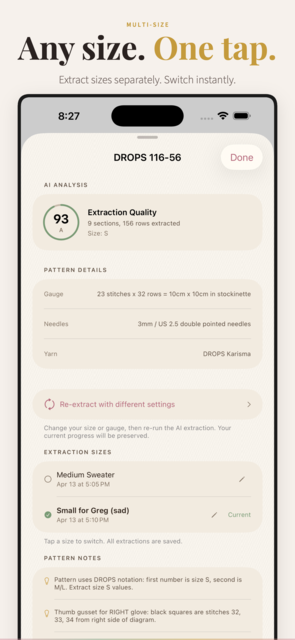
Import any PDF, from Ravelry or anywhere else, and the app sets it up for you: sections, stitch counts, row tracking, and a schematic of every piece, with the pattern on screen in a split view the whole time.
It finds your charts and highlights the row you are on, right on the chart. Pick your size once and your numbers are marked throughout. Repeats are counted for you. Scan a ball band and the yarn is in your stash.
No counters to build, no markup, no account required. Have a good idea? We can implement it within days.
Also included: 100+ curated patterns, voice control, a Pattern Assistant, and progress that picks up where you left off, iPhone and iPad.
Free to download, and your first two patterns are on us.
 Intertwinedios

Knitlytics
Knitlytics
Knitlytics is a companion analytics tool for knitters who love data.
Knitlytics does not replace, duplicate, or compete with Ravelry’s core functionality. Instead, it builds on the project, stash, and pattern information you’re already tracking and transforms it into meaningful insights and visual dashboards.
See how much yarn you’ve used over time, identify your most productive knitting months, track average project completion times, analyze which project types dominate your queue, and better understand how your crafting habits evolve year after year.
Knitlytics also helps with stash management and planning by surfacing trends in yarn usage, helping you estimate future needs, and highlighting opportunities for personal or group stashdown challenges. Designers can gain additional insight into project popularity and knitting trends, while everyday knitters can simply enjoy seeing their hobby through a new lens.
The goal isn’t to give you more data to enter—it’s to help you get more value from the data you’re already maintaining.
If you’ve ever wondered things like:
How many yards did I knit this year?
Which months am I most productive?
How long does it typically take me to finish a sweater?
What percentage of my projects come from stash yarn?
How much yarn have I actually used versus acquired?
…then Knitlytics is built for you.
 jennlikesyarn

Knitting and Crochet Buddy (Android & iOS)

Knitting and Crochet Buddy (Android & iOS)
-
4.18 stars (1991 reviews)
Knitting and Crochet Buddy (Knitting Buddy) is an all-in-one knitting and crochet project tracker. With over 50,000 downloads and a 4+ star rating in the Google Play Store, this app is a must download!
Knitting Buddy isn’t your standard knitting row counter -- it is a true knitting and crochet project tracker. Here are more details about the features of Knitting Buddy (feature vary between android and iOS versions):
- Multiple Project Support
- Row Counter
- Repeat Counter
- Display Pattern on the Main Screen
- Needle & Hook Log
- Project Timer
- Ruler
- Notes Page for each Project
- Global and Project Specific Settings
- Track Percent Project Complete
- Add Project Photographs
- Flashlight
- Needle and Hook conversion charts
- Abbreviations Dictionary
- Yarn Charts
- Different Project and Button Themes (Pro feature)
 AndroidDevJoe


Blankie

Blankie
Stop crawling around on the floor! With Blankie you can plan the layout of your granny square blanket or patchwork quilt with ease!
Take a picture of each square (or import photos from your Ravelry projects) and lay them out on your iPhone or iPad to see how the final project will look.
Not sure how to arrange things? Just shuffle the squares until you see something that looks good!
Blankie will even tell you how big your finished project will be, or how many squares you need to make your dream blanket - with a choice of different layouts!

Stitch Fiddle

Stitch Fiddle
-
3.73 stars (33 reviews)
Be your own knitting, cross stitch or crochet pattern designer with www.stitchfiddle.com.
Join the Ravelry group for design inspiration, tips, support, updates and news.


Knit Note

Knit Note
-
3.35 stars (318 reviews)
Knit Note is an amazing pattern manager for iOS. Quickly and easily import your patterns from a PDF, Image, or even Ravelry!
Annotate your patterns by double-tapping the page, export your notes, track your place, and zoom in to that tiny color chart. Knit Note makes it easy to focus on your knitting.

Knit Notes

Knit Notes
-
3.35 stars (318 reviews)
Knit Notes is available for download from Google Play or on the web at www.knit-notes.com.
Knitting Row Counter, or Knit Notes, stores your knitting or crochet project data in the cloud, so you can access your knitting data from any android device. Basic users can store five free projects. Pro users can store an unlimited number of projects.
Knitting Row Counter (Knit Notes) is divided into a few sections:
MY PROJECTS
Track your knitting or crochet projects here, including storing your project name, status, craft (knitting, crochet, loom knitting), category, keywords, dates (start, due, completed), project notes, and linked crochet hooks and knitting needles.
You can create advanced row counters for each project. By default, your first row counter starts at zero at counts incrementally. Users can add multiple row counters, reset or repeat each one after a certain number, track the number of times you’ve rolled over each row counter, and even link each row counter to the “main” counter. Row counters can be edited by clicking on the settings button.
MY KNITTING NEEDLES
Track all of your knitting needles here, including the needle’s type, size, material, manufacturer, length, notes, and a flag of whether or not the needle is currently in use. You can also set the ownership status, which will eventually pro users build a shopping wish list!
MY CROCHET HOOKS
Very similar to the MY KNITTING NEEDLES section, you can track all of your crochet hooks in the MY CROCHET HOOKS section. Types of hooks that can be tracked include Cable, Double Pointed, Fixed Circular, Interchangeable, Standard, and Other. Email the developer if we’re missing anything!
Knitting Row Counter (Knit Notes) is also accessible from the web at knit-notes.com!!
AndroidDevJoe

Yarn Shops
Yarn Shops
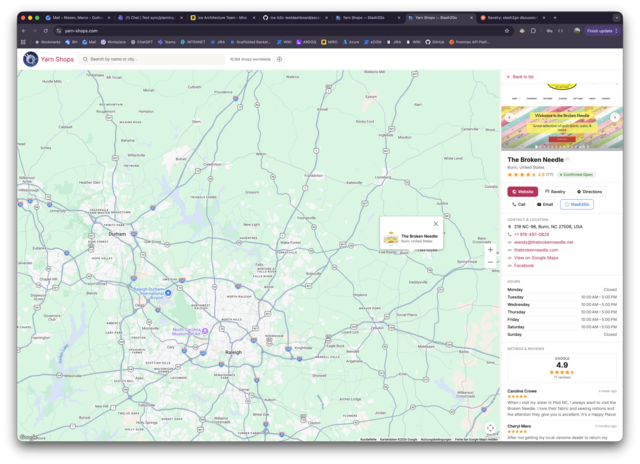
With the Yarn Shop browser, you can browse all yarn shops globally - with website previews
Yarn Shops is a free online map that helps knitters and crocheters discover yarn shops around the world. With more than 10,000 shops listed, you can explore what’s nearby or search for shops in any city you’re planning to visit.
Each shop page shows photos, Google ratings, opening hours, contact details, and the brands they carry — so you can plan your yarn crawl before you even leave the house. Tap any photo to view it full-screen, get directions with one click, or jump straight to Ravelry or Stash2Go for more details.
Best of all, it works without a login.
Whether you’re hunting for a specific brand, looking for a cozy shop with Wi-Fi and seating, or just want to know what’s around the corner, Yarn Shops has you covered.
It’s built on the same solid infrastructure I crafted for Stash2Go.
nordfriese

LoveKnitting iOS

LoveKnitting iOS
The LoveKnitting app was designed to transform the way you knit - and make your life easier! Say goodbye to printed patterns, sticky notes and smudged doodles! Our free app combines everything you need for a hassle-free knitting experience. For too long, we’ve watched our passionate community of makers struggle with juggling old school knitting tools.
Knitting patterns on the go
Access your LoveKnitting and Ravelry library wherever you are.
Handy tools
Everything you need in one place: row counter, marker, and more!
Organize your library
Group your patterns into easy to access collections.
Free and exclusive patterns
Get access to free and exclusive knitting patterns every week!
﹥﹥ Download for iOS (iPad and iPhone) here
Here’s what our makers have to say
Beautiful and saves me time
“Such a beautiful designed app - amazing graphics! It’s so handy to be able to see my pattern and my row counter at the same time!”
21st Century knitting, brilliant app!
“This app is the best thing to happen to knitting in years. I love it, especially the extra features like the row counter and pattern marker/ eraser. Would readily recommend as a must have to any knitter/crocheter.”
Great app for knitters
“LoveKnitting has restored my passion for knitting after a break of many years. Customer service is quick and helpful too.”
A must for knitters!
“It really has brought my pattern reading into the 21st century! :)” More LoveKnitting cleverness “LoveKnitting is just brilliant at using technology to make knitting easier and more fun. Very clever. There are free patterns too, all lovely!”
SUCH a useful tool for knitters!
“This app is the perfect little ‘knitters’ helper’! Highly recommended - thank you!!”
LoveKnitting
“What a fabulous idea you’ve come up with! SO much easier than trying to keep a ruler on a line on my knee!” Great app for Knitters “Great app, love the projects bit where you can keep track of stitches. Super helpful and nice choice of patterns!”


Row Counter

Row Counter
-
4.83 stars (3847 reviews)
-
4.83 stars (15686 reviews)
ios: https://itunes.apple.com/us/app/my-row-counter-knit-croch...
android: https://play.google.com/store/apps/details?id=com.row_cou...
A Row Counter App optimized for knitting and crocheting:
___ IMPORT YOUR PATTERN ___
- Download your patterns directly into the app, be it a webpage or a pdf.
- Direct access to Ravelry, so you can search their website or access your library.
__ CUSTOMIZE YOUR ROW COUNTER ___
- Set up several counters to keep track of your increases, design, or change of color
- Add reminders to appear on a specific row: you will knit mistake-free!
- You just need a basic counter? No worries, you can also use it without any configuration
___ VOICE CONTROL ___
* No need to touch the app while knitting, just speak to it to increment the counter, and keep your hands free to do beautiful things!
__ FOLLOW UP ON YOUR PROGRESS ___
* See any times how many rows and stitches your have knit!
Bonus: The app is for free and without ads!

Notion Projects Integration
Notion Projects Integration
 Ivyloulou

cromo_cloud
cromo_cloud
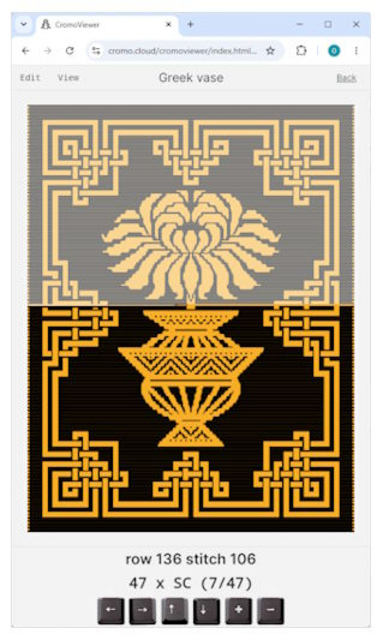
“CromoDesigner” is a feature rich graphical designer app for mosaic crochet. It runs in the browser. “CromoViewer” is the according browser based viewer which lets you proceed through the pattern whilst crocheting. It dictates how many stiches of which type are next. Both apps are launched from within our “CromoCloud” repository, where you can publish your patterns. You can choose to give everybody access to your pattern in CromoViewer, or you can limit access to paying customers when you sell your patterns on Ravelry.
Here’s the link: https://cromo.cloud
You can learn all about it by visiting the documentation

